Predixsport publishes probability distributions for NBA, Euroleague, football, ATP and WTA matches, with calibration data for every model. This guide answers one practical question: which of the three ways to get that data fits the way you work.
- The MCP connector: a one-time setup on a computer, then you ask questions in plain English inside Claude, on your phone too. The same connector also works in Perplexity and in the ChatGPT desktop app.
- The REST API: the same data as JSON over HTTPS, for code.
- The JSON / CSV download: one match at a time, free with a Google sign-in.
They carry the same data, but each suits a different kind of user.
The short version
If you already work in Claude (desktop, web, or the iOS and Android apps) and want sports analysis there too, use the connector.
If you write code and Predixsport's data is one part of a bigger pipeline, use the API.
If you want to look at one match once, with no setup, use the download on any match analysis page.
The rest of this article explains why, so you can check the choice before you commit.
Why not ask Claude to read the website?
You can ask Claude, or any browsing agent, to open predixsport.com/nba_predictions
and read it. It partly works, but it misses things.
The website is made for people. Probabilities are rounded to one decimal, distribution charts are drawn as pictures, and calibration lives on a separate page. An agent has to piece all of that together from HTML, which it does poorly.
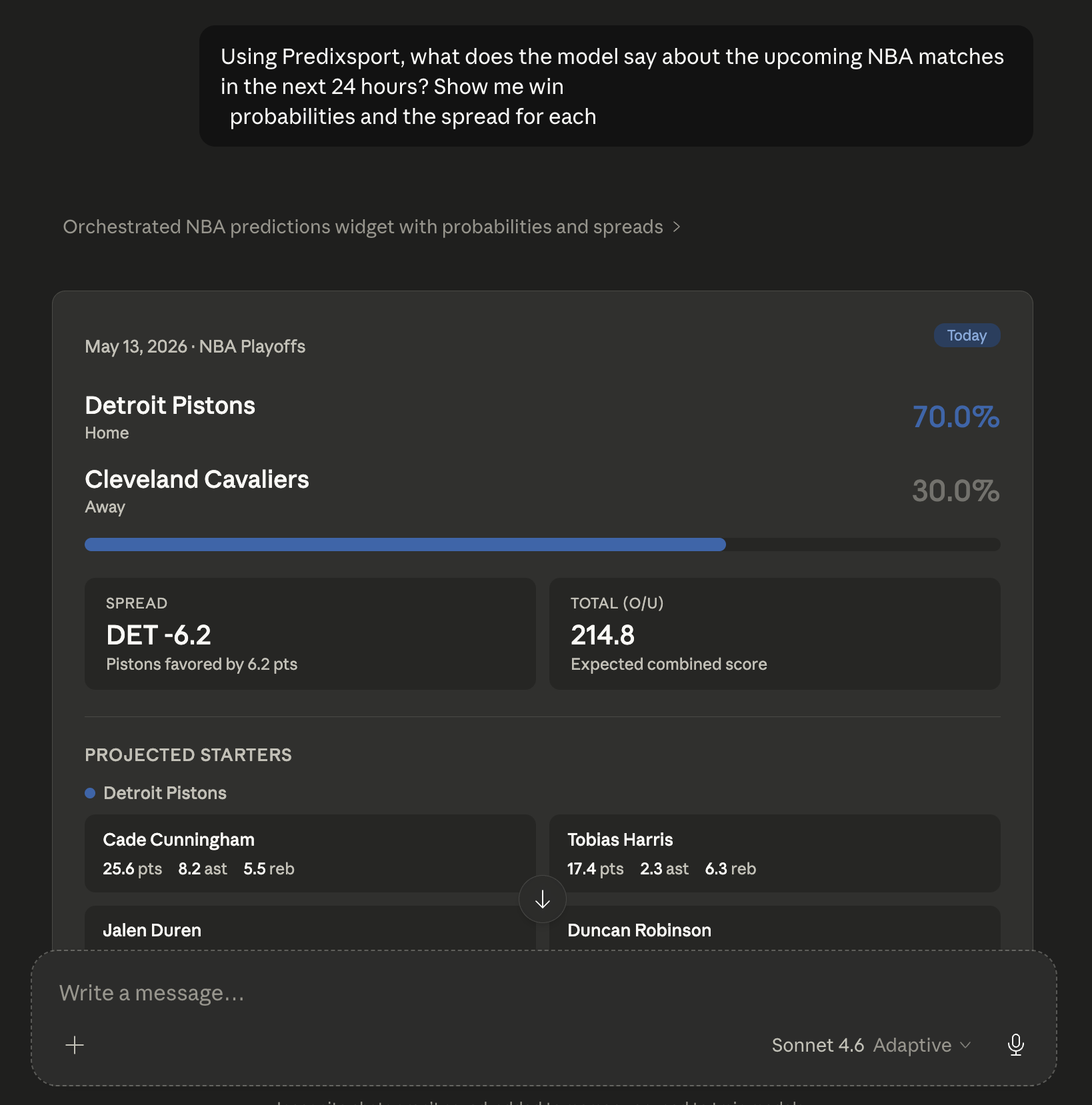
With the connector, Claude calls our API and receives the underlying numbers: the probabilities, the full distributions and the match details, as compact JSON. A separate tool returns the calibration of each model. Compact JSON also uses far fewer tokens than a full web page, so long conversations stay cheaper.
Why not download the JSON or CSV?
The download is fine for a one-off look: take tonight's NBA file, ask Claude to compare it with your fantasy lineup, done.
It goes stale quickly. Predictions update during the day, and NBA predictions only appear a few hours before tip-off, once the starting lineups are known. A file downloaded in the morning can show no games at all even though three start tonight. The connector fetches fresh data each time you ask.
The connector also works without you in the conversation. If your Claude plan includes scheduled tasks, Claude can run the same question every morning and leave you the answer.
"Every weekday at 09:00, list today's NBA games with the Predixsport win probability, expected total points and predicted margin. Flag the games where the favourite is clear but the distribution is unusually wide. Keep it under 200 words."
How is it different from the API?
The connector runs on top of the API: same endpoints, same data. The difference is who uses it.
The API is for people who write code: Python, Node, dashboards, model stacks, automated pipelines. You get raw JSON and control everything yourself, from caching to how often you call. You need a key and you write the integration once.
The connector is for people who do not want to write that integration. You add it to Claude once. There is no SDK, no rate-limit handling and no JSON to parse: Claude makes the call and turns the answer into text, tables and follow-up questions. The trade-off is that you work inside Claude, which is the point if that is where you already work.
What MCP adds: one conversation, several sources
MCP lets Claude use several connectors in the same conversation. If you also have connectors for your fantasy roster or your notes, you can ask one question that uses all of them:
"For tonight's slate: which of my players is starting? Compare them with Predixsport's projections for points, rebounds and assists. Flag the ones whose distribution is unusually wide. Add my notes from last week on the same matchups."
Claude calls each source and gives you one answer, without switching between apps. No single source can do that alone.
That makes it useful for fantasy managers planning lineups, journalists looking for a probability-backed angle for a preview, and anyone who wants to see how a forecast was built.
What it costs
Predixsport is free to start: sign in with Google and new accounts get 200 calls a month, shared by the connector and the API. The connector uses a normal sign-in, with no key to copy. If you use the API from code, you create a key on /api-access.
On the Claude side, all subscription plans can add custom connectors, and the free plan is limited to one. Current Claude pricing is at claude.com/pricing. Predixsport earns nothing from that link.
The connector only sees the tool calls Claude makes on your behalf, not your chat. We count monthly usage per account to enforce the limit and do not store your prompts. Details are in the privacy policy, and how the models work is on the methodology page.
Set it up
For the connector, the walkthrough is on /mcp-setup and takes about four minutes. Do it on a computer: Claude only lets you add a connector from claude.ai in a desktop browser or from the desktop app, not from the phone apps. Once added, Predixsport appears in Claude on your phone as well. The API key and the JSON/CSV downloads use the same Predixsport login.
If something does not work the way this article describes, use the contact form. We read every message.
Pick your path
Connector, API or download: the data is the same, only the way you reach it changes.